
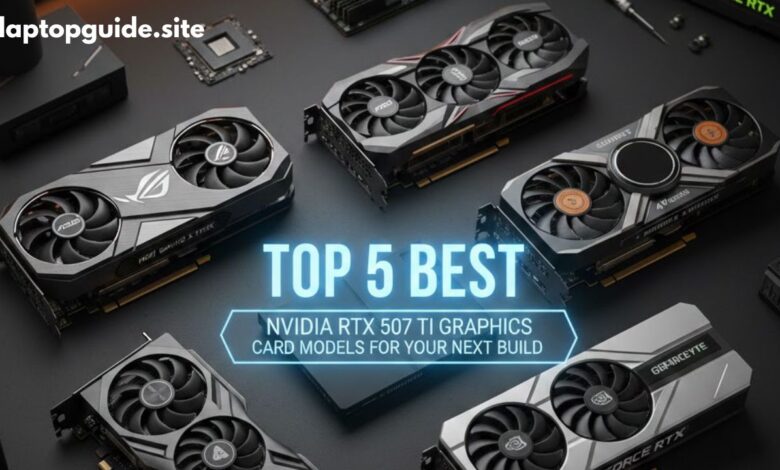
Top 5 Best NVIDIA RTX 5070 Ti Graphics Card Models for Your Next Build
Best NVIDIA RTX 5070 Ti Graphics Card

Choosing the right graphics card can completely change your PC experience. Whether you are a gamer, content creator, or professional user, NVIDIA’s RTX 5070 Ti is shaping up to be one of the most balanced GPUs for performance, efficiency, and future-proofing.
With many brands releasing their own custom versions, it’s important to know which RTX 5070 Ti model offers the best cooling, noise control, performance, and value. In this detailed guide, we’ll break down the top 5 best NVIDIA RTX 5070 Ti graphics card models, explain their strengths, and help you choose the perfect GPU for your next PC build.
For more GPU and laptop buying guides, visit LaptopGuide.site.
Why NVIDIA RTX 5070 Ti Is Worth Buying in 2026
The RTX 5070 Ti sits in the sweet spot between price and performance. It is designed for users who want next-generation features without paying flagship-level prices.
Key Benefits of RTX 5070 Ti:
-
Excellent 1440p ultra gaming performance
-
Smooth 4K gaming with DLSS enabled
-
Advanced Ray Tracing and AI acceleration
-
Faster rendering for video editing and 3D work
-
Better power efficiency than previous RTX generations
If you follow GPU performance trends, our GPU Guide explains how newer GPUs compare with older models.
1. ASUS ROG Strix RTX 5070 Ti – Best Overall Performance
The ASUS ROG Strix RTX 5070 Ti is the top choice for users who want maximum performance, premium cooling, and long-term reliability.
Detailed Features:
-
Massive triple-fan cooling system for low temperatures
-
Factory overclocked GPU for higher FPS
-
Thick heatsink and metal backplate for durability
-
Aura Sync RGB lighting for customization
-
High-quality VRM design for stable power delivery
Real-World Performance:
This GPU handles AAA games at ultra settings with ease and maintains stable frame rates even during long gaming sessions. Temperatures stay low, making it ideal for high-refresh-rate gaming systems like those discussed in our high refresh rate laptop guide.
Best For:
Hardcore gamers, streamers, and premium PC builds.
2. MSI Gaming X Trio RTX 5070 Ti – Best for Silent Builds
The MSI Gaming X Trio RTX 5070 Ti is built for users who want strong performance without excessive noise.
Detailed Features:
-
TRI FROZR cooling technology
-
Larger, slower-spinning fans for silent operation
-
Factory overclock with excellent thermal control
-
Clean, professional design with subtle RGB
-
Strong build quality and reinforced PCB
Real-World Performance:
This card performs almost as well as the ROG Strix but stays noticeably quieter. It’s perfect for creators who work long hours, such as those editing videos or rendering projects—similar to systems featured in our best laptops for video editing section.
Best For:
Quiet gaming setups, creators, and home offices.
3. Gigabyte AORUS Master RTX 5070 Ti – Best Premium Features
The Gigabyte AORUS Master RTX 5070 Ti is designed for PC enthusiasts who love customization and advanced monitoring features.
Detailed Features:
-
Windforce cooling system with advanced airflow
-
Built-in LCD display for stats or custom images
-
Strong power phases for stable overclocking
-
Premium RGB lighting
-
Heavy-duty metal construction
Real-World Performance:
Performance is consistent under heavy workloads like gaming, streaming, and rendering. The LCD display is useful for monitoring temperatures in real time. If you enjoy tracking upcoming hardware trends, check our upcoming laptops & tech updates.
Best For:
Enthusiasts, RGB lovers, and long-term builds.
4. Zotac Gaming AMP Extreme RTX 5070 Ti – Best for Compact Builds
The Zotac AMP Extreme RTX 5070 Ti delivers high performance in a slightly more compact design.
Detailed Features:
-
IceStorm cooling system
-
Smaller length than many competitors
-
Factory overclock for extra performance
-
Metal backplate for strength
-
Good airflow design
Real-World Performance:
This GPU is ideal for mid-tower or compact cases without sacrificing power. It also works well for users experimenting with flexible GPU setups. You may find our guide on using an external GPU with a laptop helpful.
Best For:
Smaller PC cases and value-focused buyers.
5. NVIDIA Founders Edition RTX 5070 Ti – Best Clean Design
The RTX 5070 Ti Founders Edition is NVIDIA’s official reference model, offering a minimalist look and stable performance.
Detailed Features:
-
Clean, professional design
-
Optimized dual-fan airflow
-
Solid thermal efficiency
-
Excellent build quality
-
Direct NVIDIA tuning and support
Real-World Performance:
This model offers reliable performance without flashy RGB or oversized designs. NVIDIA’s official GPU technologies are explained in detail on NVIDIA’s official website (external authority source).
Best For:
Professional workstations and minimalist builds.
RTX 5070 Ti Comparison Table
| GPU Model | Cooling | Noise Level | Best For |
|---|---|---|---|
| ASUS ROG Strix | Excellent | Medium | Best overall performance |
| MSI Gaming X Trio | Excellent | Very Low | Silent builds |
| Gigabyte AORUS Master | Excellent | Medium | Premium features |
| Zotac AMP Extreme | Very Good | Medium | Compact builds |
| Founders Edition | Good | Medium | Clean & professional |
Buying Guide: What to Check Before Buying RTX 5070 Ti
Power Supply
Ensure your PSU meets the required wattage.
Case Compatibility
Some GPUs are large—measure your case.
Cooling & Airflow
Good airflow improves performance and lifespan.
Budget Planning
If budget matters, explore under $1000 tech options and budget gaming setups.
FAQs – NVIDIA RTX 5070 Ti
Is RTX 5070 Ti good for 4K gaming?
Yes, with DLSS enabled, it handles 4K gaming smoothly.
Which RTX 5070 Ti is best overall?
ASUS ROG Strix offers the best balance of cooling and performance.
Is RTX 5070 Ti good for video editing?
Yes, it performs very well in editing, rendering, and AI workloads.
Should I upgrade from RTX 30-series?
Yes, if you want better ray tracing, efficiency, and future support.
Final Verdict
The NVIDIA RTX 5070 Ti is a future-ready GPU that delivers excellent performance for gaming, content creation, and professional use. Each model on this list offers unique strengths, so the best choice depends on your build size, noise preference, and budget.
For more guides, tutorials, and updates, visit:
