Mechanical vs Membrane Keyboards – Which One Is Best for You in 2025?
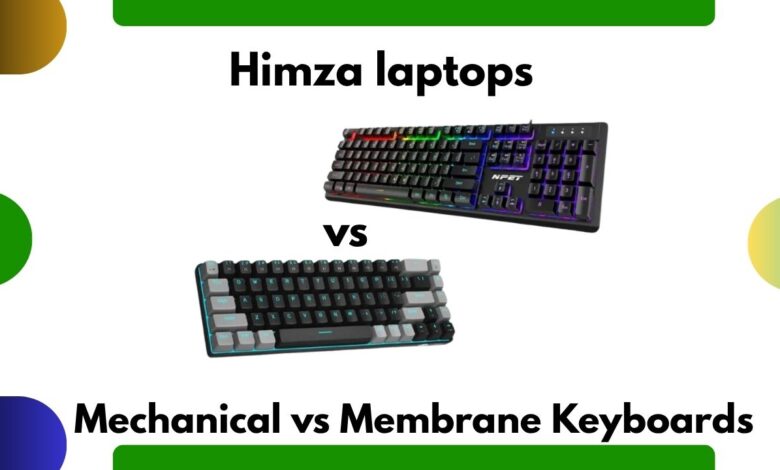
Mechanical vs Membrane Keyboards

Introduction
Choosing between mechanical vs membrane keyboards is the most common confusion for office users, writers, programmers, and gamers. Dono types alag feel, sound, durability aur performance offer karte hain. In this guide, you’ll learn exactly which keyboard is best for your workflow, budget, and comfort.
🧠 What Is a Mechanical Keyboard?
A mechanical keyboard har key ke niche individual mechanical switch use karta hai. Yani har keypress zyada accurate, tactile aur durable hota hai.
Key Benefits:
- Longer lifespan (50–100 million keystrokes)
- Precise typing feedback
- Fast response time
- Hot-swappable options
- Custom switch choices (red, brown, blue etc.)
🔗 External Link:
https://www.keychron.com/blogs/news/what-is-a-mechanical-keyboard
What Is a Membrane Keyboard?
Membrane keyboards ek thin pressure membrane sheet use karte hain. Ye daily office use, students, aur budget-friendly options me zyada common hain.
Key Benefits:
- Soft, quiet keys
- Lightweight and slim
- Affordable
- Good for general typing
🔗 External Link:
https://www.hp.com/us-en/shop/tech-takes/membrane-vs-mechanical-keyboards
🔥 Mechanical vs Membrane Keyboards – Main Differences
| Feature | Mechanical Keyboard | Membrane Keyboard |
|---|---|---|
| Typing Feel | Tactile, clicky, responsive | Soft, quiet, mushy |
| Durability | Very high | Medium |
| Noise Level | Medium–High | Low |
| Price | Higher | Budget-friendly |
| Speed | Fast | Moderate |
| Customization | Extensive | Very limited |
Office Work ke Liye Kaunsa Best Hai?
Office environments me noise level important hota hai.
Is wajah se:
✔ Best Options for Office Work
- Silent Mechanical (Brown/Red switches)
- Low-profile mechanical keyboards
- Quiet membrane keyboards
Agar comfort + quiet typing chahiye, membrane keyboards practical choice hain.
Agar fast typing speed + accurate feedback chahiye, silent mechanical is best.
🎮 Gaming ke Liye Kaunsa Best Hai?
Gamers ke liye mechanical keyboard clear winner hota hai because:
Why?
- Faster actuation
- Better precision
- Customizable switches
- N-key rollover
- Hot-swappable options
🔗 External Link (Gaming Mechanical Keyboard):
https://www.razer.com/gaming-keyboards
Membrane keyboards casual gaming ke liye theek hain, but competitive gaming me recommended nahi hote.
✍️ Typing & Programming ke Liye Kaunsa Behtar Hai?
Writers, coders, aur students ke liye:
Mechanical Keyboard:
- Best for long typing sessions
- Accurate and consistent feel
- Better feedback
- Less typing fatigue
Membrane Keyboard:
- Good for quiet environments
- Soft key feel
- Budget friendly
Agar aap rozana 3+ hours typing karte hain, mechanical keyboard long-term best investment hai.
🔧 Switch Types: Mechanical Keyboards Me Kya Differences Hote Hain?
Mechanical keyboards ke popular switches:
1. Red Switch (Linear)
- No tactile bump
- Smooth & quiet
- Best for office + gaming
2. Brown Switch (Tactile)
- Small tactile bump
- Balanced for typing + gaming
3. Blue Switch (Clicky)
- Loud clicking sound
- Best for typing feedback
- Office use ke liye noisy
🔗 External Link (Switch Types Guide):
https://www.cherrymx.de/en/cherry-mx.html
Noise Comparison
- Mechanical (Blue switches) → loud
- Mechanical (Brown switches) → moderate
- Mechanical (Red switches) → quiet
- Membrane → very quiet
If silence is important → choose membrane or red switch mechanical.
Price Difference – Mechanical vs Membrane
Mechanical Keyboard Price Range:
$60 – $200+
Premium brands like Keychron, Logitech, SteelSeries, Razer.
Membrane Keyboard Price Range:
$10 – $40
Budget brands + common office keyboards.
🔗 External Link (Budget Office Keyboards):
https://www.logitech.com/en-us/products/keyboards.html
Lifespan & Durability
Mechanical keyboards last 5–10 years easily.
Membrane keyboards usually last 1–3 years depending on usage.
This is why mechanical keyboards are considered long-term investments.
Which Keyboard Should YOU Choose?
✔ Choose Mechanical If:
- You type a lot
- You want speed
- You want durability
- You want customization
- You like tactile feedback
✔ Choose Membrane If:
- You need quiet typing
- You want a slim, lightweight design
- You want budget-friendly option
- You use it for general office tasks
Top Recommended Mechanical Keyboards (Official Links)
1. Keychron K8 (Best All-Rounder)
https://www.keychron.com/products/keychron-k8-pro-qmk-via-wireless-mechanical-keyboard
2. Logitech MX Mechanical (Silent + Premium)
https://www.logitech.com/en-us/products/keyboards/mx-mechanical.html
3. Razer BlackWidow V3 (Gaming Favorite)
https://www.razer.com/gaming-keyboards/razer-blackwidow-v3
Top Recommended Membrane Keyboards (Official Links)
1. Logitech K120 (Budget Office Keyboard)
https://www.logitech.com/en-us/products/keyboards/k120-corded-keyboard.html
2. Microsoft 600 Keyboard (Quiet + Durable)
https://www.microsoft.com/accessories/products/keyboards/keyboard-600
3. HP K1500 (Affordable & Reliable)
https://www.hp.com/us-en/shop/pdp/hp-k1500-keyboard
FAQs (Google Rich Snippets)
1. Are mechanical keyboards better than membrane keyboards?
Yes, mechanical keyboards offer better durability, speed, and typing experience.
2. Are membrane keyboards good for office use?
Yes, they are quiet and budget-friendly, making them ideal for offices.
3. Which keyboard lasts longer?
Mechanical keyboards last much longer (up to 100 million keypresses).
4. Which switch type is best for typing?
Brown switches are best because they offer a good tactile bump without noise.
5. Are mechanical keyboards too loud?
Only clicky blue switches are loud. Red and brown switches are quiet enough for offices.