Laptop Charger Buying Guide (2025) – Watt, Voltage & Compatibility Explained
Laptop Charger Buying Guide 2025

Buying a new laptop charger seems simple, but it’s one of the most misunderstood purchases. Many users unknowingly buy the wrong charger, which leads to battery damage, slow charging, overheating, and even motherboard failure.
This detailed Laptop Charger Buying Guide 2025 will explain everything you need to know before choosing a charger, including wattage, voltage, amperage, connector type, and compatibility rules.
By the end of this guide, you’ll be able to confidently select a safe and long-lasting charger for any laptop.
Why Choosing the Right Laptop Charger Matters
A charger is not just a power brick — it’s a power management system that regulates electricity and protects your laptop from:
- Overheating
- Short-circuiting
- Over-voltage
- Battery wear
- Power fluctuations
Using the wrong charger can cut your battery lifespan in half and eventually damage expensive components.
Understanding Charger Specifications
Most people do not read the technical labels printed on chargers. But these numbers decide whether a charger is compatible or dangerous.
Below is a breakdown of what each specification means.
1. Voltage (V) – The Most Important Specification
What is Voltage?
Voltage is the “pressure” of electric current. Your laptop requires a specific voltage to function safely.
Example:
Many laptops use 19V, 19.5V, 20V, or 12V (USB-C chargers).
Golden Rule:
⭐ Voltage must match exactly.
A 19.5V laptop must use a 19.5V charger.
If voltage is higher → risk of motherboard IC burn
If voltage is lower → laptop won’t charge or will charge dangerously slow
How to check correct voltage?
- Laptop’s original charger label
- Laptop bottom sticker
- Laptop official website
Voltage mismatch is the #1 reason cheap chargers damage laptops.
2. Amperage (A) – Determines Charging Strength
Amperage (A) represents the amount of electrical current sent to the laptop.
Is higher amperage safe? Yes!
Example:
Required: 3.3A
Charger: 4.0A
This is 100% safe, because the laptop will draw only what it needs.
Is lower amperage safe? No!
Example:
Required: 3.3A
Charger: 2.0A
This can cause:
- Overheating
- Slow charging
- Power bottlenecks
- Charger burn-out
Rule:
⭐ Amperage should be equal or higher. Never lower.
3. Wattage (W) – Total Power Output
Wattage is simply a combination of voltage and amperage.
Formula:
📌 Wattage = Voltage × Amperage
Example:
19.5V × 3.3A = 65W
This means your laptop requires a 65W charger.
Can you use a higher-watt charger? Yes.
For example:
Laptop requires 65W, but you use 90W or 130W
→ Completely safe
Why? Because the laptop pulls only the wattage it needs.
Higher watt chargers:
- Charge faster
- Stay cooler
- Are safer for performance laptops
Lower watt chargers:
- Overheat quickly
- Charge very slowly
- Can damage the charger
4. Connector Type – Not All Pins Are the Same
Different laptops use different connector types:
Common Types:
- Barrel connectors (round pins)
- USB-C PD (Power Delivery)
- Proprietary connectors (Dell, Lenovo, HP)
- Magnetic connectors (MacBook MagSafe)
Important:
Even if two chargers look identical, the polarity and pin depth may differ.
Wrong connector =
➡ No charging
➡ Port damage
➡ Short circuit risk
Always verify connector type before buying.
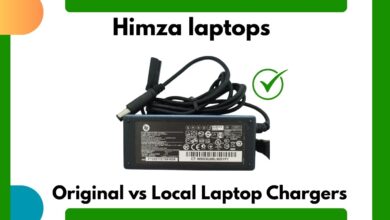
5. Brand Compatibility – Original vs Third-Party
You have three choices:
Option A: Original Manufacturer Charger (Best Choice)
These chargers match:
- Exact voltage
- Correct power
- Proper connector
Pros:
- Long lifespan
- Safety chips
- Stable power
Cons:
-
More expensive
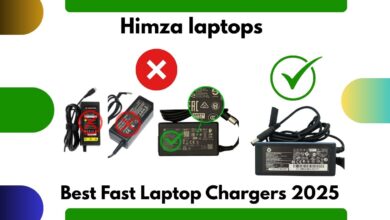
Option B: High-Quality Third-Party Chargers (Good Alternative)
Brands like:
- Anker
- UGreen
- Baseus
- Belkin
They use GaN technology and have multiple safety protections.
Pros:
- Affordable
- Fast charging
- Universal compatibility
Cons:
- Must choose carefully
- Not always 100% optimized for all models
Option C: Cheap Local Chargers (Avoid)
They lack:
- Voltage stability
- Heat protection
- Quality components
Risks:
- Battery damage
- Overheating
- Fire hazard
- Laptop shutdowns
Use only in temporary emergencies.
6. USB-C Laptop Chargers (Future Standard)
Modern laptops use USB-C PD (Power Delivery) charging.
Benefits:
- Universal charging
- Fast charging
- Multi-device support
- Compact design
Important Compatibility Rules for USB-C:
- Laptop must support USB-C charging
- Charger must have PD protocol
- Wattage must match laptop requirements (e.g., 45W, 65W, 100W, 140W)
For example:
A gaming laptop requiring 180W will not charge properly using USB-C.
How to Choose the Right Laptop Charger (Checklist)
Use this buying checklist to avoid mistakes:
✔ Step 1: Identify laptop voltage
Match it exactly.
✔ Step 2: Check amperage
Equal or higher is safe.
✔ Step 3: Match wattage
Equal or higher watt recommended.
✔ Step 4: Confirm connector type
Shape, size, depth must match.
✔ Step 5: Prefer original or certified brands
Avoid cheap market chargers.
✔ Step 6: Look for safety certifications
Such as:
- CE
- RoHS
- UL
- FCC
✔ Step 7: Ensure warranty
Reliable chargers offer 6–12 months warranty.
Common Myths About Laptop Chargers (Debunked)
❌ Myth 1: Higher watt chargers damage laptops
✔ Truth: They are safe because laptops draw only what they need.
❌ Myth 2: All USB-C chargers work for all laptops
✔ Truth: Voltage and PD rules must match.
❌ Myth 3: Cheap chargers perform the same as original
✔ Truth: Cheap chargers lack protective circuits.
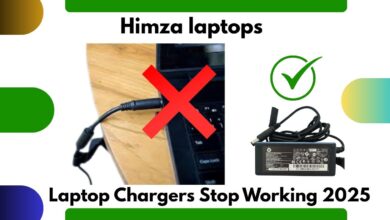
❌ Myth 4: Any charger that “fits” will work
✔ Truth: Wrong voltage can destroy the motherboard.
Signs Your Laptop Charger Needs Replacement
If you notice any of these signs, replace your charger immediately:
- Charger becomes too hot
- Laptop charges slowly
- Charger disconnects randomly
- Burning smell from adapter
- Cable fraying or exposed wires
- Laptop stops charging intermittently
Ignoring these signs can result in serious damage.
FAQs – Laptop Charger Buying Guide
1. Can I use a charger with higher wattage?
Yes, as long as the voltage matches.
2. What happens if voltage is different?
Higher voltage can damage the motherboard; lower voltage causes slow charging.
3. Is USB-C better than traditional chargers?
Yes — if your laptop supports USB-C PD.
4. Are third-party GaN chargers safe?
Yes, if purchased from a reputable brand.
5. Do local chargers damage laptops?
Mostly yes. They lack essential safety features.
Conclusion – The Smart Way to Choose a Laptop Charger
Choosing the right laptop charger is critical for your laptop’s long-term health. In 2025, with so many chargers available on the market, understanding voltage, amperage, wattage, and connector compatibility is essential.
Best Recommendation:
✔ Always choose an original or certified branded charger.
✔ Avoid cheap local chargers — they cause more damage than the money they save.
The right charger keeps your laptop safe, extends battery life, ensures stable performance, and prevents costly damage.