Is a Cooling Pad Necessary? The Real Solution to Laptop Overheating
The Real Solution to Laptop Overheating

Introduction
Laptop overheating has become one of the most common problems faced by gamers, office workers, students, content creators, and everyday users. Modern laptops are powerful yet extremely compact, which means they generate more heat than ever. This raises a critical question: Is a cooling pad necessary? In this detailed guide, we break down the real causes of laptop overheating, whether cooling pads actually solve the problem, and how you can keep your device cool for long-term performance.
Why Do Laptops Overheat?
Understanding the root cause of heat helps determine whether a cooling pad is the right solution.
1. Thin and Compact Designs
Laptops are getting slimmer every year. While this improves portability, it also reduces space for cooling systems. Less space = less airflow.
2. Powerful Hardware
High-performance CPUs and GPUs can reach temperatures of 80–95°C under load, especially during gaming and editing.
3. Blocked Air Vents
Using laptops on beds, sofas, pillows, or laps blocks ventilation holes, trapping heat inside.
4. Dust Accumulation
Dust buildup prevents fans from spinning efficiently, reducing airflow and raising internal temperatures.
5. Heavy Workloads
Gaming, video rendering, programming, virtual machines, and 4K editing push the hardware to its limits.
Is a Cooling Pad Necessary?
The simple answer is YES — in most situations, a pad is necessary. But let’s explore why.
1. Cooling Pads Improve Airflow
The primary reason laptops overheat is restricted airflow. A cooling pad pushes fresh air into the bottom vents, lowering internal temperature.
2. They Reduce Thermal Throttling
When laptops get too hot, the CPU/GPU reduces performance to avoid damage. Cooling pads keep temperatures low enough to prevent throttling.
3. They Extend Laptop Lifespan
Lower heat means less stress on internal components such as the motherboard, battery, and power delivery system.
4. They Improve Gaming & Editing Performance
For gamers and professionals, stable temperatures mean stable FPS and faster rendering times.
5. They Enhance Comfort
Using a laptop on your lap is uncomfortable when it’s hot. A cooling pad provides a stable, cooler surface.
How Much Can a Cooling Pad Reduce Laptop Temperature?
On average, a quality cooling pad can reduce temperature by:
- Light usage: 3–5°C
- Gaming: 5–10°C
- Rendering/video editing: 8–15°C
This difference is enough to prevent throttling and protect the device long-term.
Which Laptops Benefit the Most from a Cooling Pad?
While all laptops can benefit, these categories need it most:
1. Gaming Laptops
Devices like MSI, ROG, Acer Predator, HP Omen, and Lenovo Legion run extremely hot.
2. Editing & Rendering Laptops
4K video editing, Blender, After Effects, and DaVinci Resolve generate high heat loads.
3. Laptops With Single Fans
Many budget laptops have a single cooling fan, making external airflow essential.
4. Older Laptops
If your laptop is 3+ years old, thermal paste dries and dust builds up. A cooling pad provides extra support.
Does a Cooling Pad Fix Overheating Completely?
A cooling pad is extremely helpful, but it cannot fix deeper hardware problems. You should also consider:
1. Cleaning Dust
Use compressed air or get professional cleaning every 6–12 months.
2. Replacing Thermal Paste
High-quality thermal paste (like Arctic MX-6 or Noctua NT-H1) can significantly lower CPU/GPU temperatures.
3. Using Your Laptop on a Flat Surface
Beds and sofas block ventilation.
4. Limiting Background Processes
Too many apps running at once increases heat.
5. Updating Drivers & BIOS
Manufacturers often release thermal performance updates.
What Type of Cooling Pad Do You Need?
Not all cooling pads are the same. Choose based on your usage:
1. Single-Fan Cooling Pads
Quiet and effective for normal use. Good for office laptops.
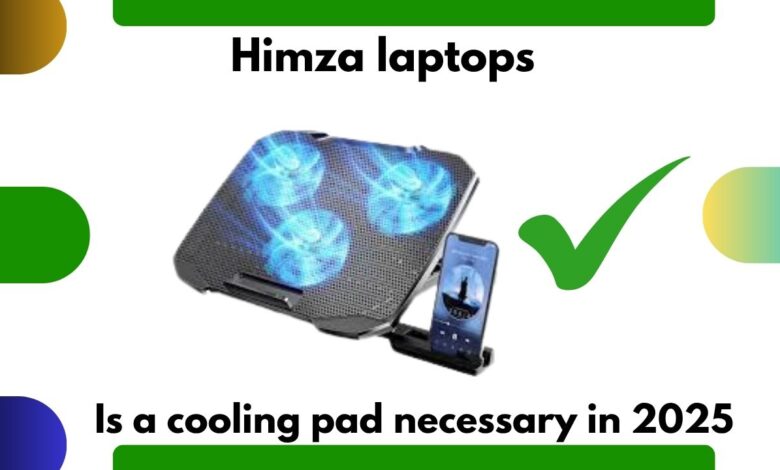
2. Multi-Fan Cooling Pads
Best for gaming and editing laptops. Provide maximum airflow.
3. Large-Fan RGB Pads
Stylish and efficient for gamers.
4. Ergonomic Cooling Pads
Improve posture and give cooling support.
Recommended Cooling Pads for 2025
Here are top cooling pads integrated directly into the article:
- HAVIT HV-F2056 – Best all-round cooling pad
- Cooler Master Notepal X150R – Best for gaming laptops
- TopMate C11 – Best multi-fan cooler
- KLIM Ultimate RGB – Best for RGB setups
- Targus Lap Chill Mat – Best for office/work use
FAQs
1. Is a cooling pad necessary for gaming laptops?
Yes. Gaming laptops produce high heat, and cooling pads significantly reduce temperatures and improve performance.
2. Will a cooling pad stop overheating?
A cooling pad helps a lot, but regular cleaning and proper ventilation are also essential.
3. Can cooling pads damage my laptop?
No. They are completely safe and only enhance airflow.
4. How long do cooling pads last?
Most cooling pads last 1–3 years depending on build quality and usage.
5. Do cooling pads improve FPS?
Indirectly, yes. Lower temperatures prevent FPS drops caused by thermal throttling.
Conclusion
So, is a cooling pad necessary?
If you use your laptop for gaming, editing, heavy workloads, or extended sessions—it absolutely is. Cooling pads improve airflow, reduce temperature, boost performance, and protect your laptop’s hardware for years to come. Combined with proper maintenance, a cooling pad is one of the best investments you can make for your laptop’s health in 2025.