Best Keyboards & Mouse for Office Work – Comfort & Productivity Boost (2025)
Best Keyboards & Mouse for Office Work

Introduction
Choosing the best keyboards and mouse for office work can massively improve your typing comfort, productivity, and long-term wrist health. Most people use standard cheap keyboards without realizing how much discomfort and inefficiency they bring. In this guide, we will help you select the perfect office keyboard and mouse setup to work faster, stay comfortable, and avoid hand fatigue.
⭐ Why Choosing the Right Keyboard & Mouse Matters
Office work involves long hours of typing, clicking, and navigating, which directly affects:
- Productivity
- Comfort
- Wrist and hand health
- Accuracy
- Speed
A good keyboard + mouse can reduce strain and even prevent issues like carpal tunnel syndrome.
🧑💻 Best Keyboards for Office Work (2025 Picks)
Below are highly recommended keyboards based on comfort, typing feel, ergonomics, and features.
(External links included to official product pages.)
1. Logitech MX Keys – Best Premium Office Keyboard
The Logitech MX Keys is one of the most popular office keyboards due to its low-profile keys, silent typing, and excellent ergonomics.
Features:
- Smart backlighting
- Extremely soft & quiet keypress
- Multi-device connectivity
- Perfect for long typing sessions
🔗 External Link:
https://www.logitech.com/en-us/products/keyboards/mx-keys-wireless-keyboard.html
2. Microsoft Ergonomic Keyboard – Best for Wrist Support
This keyboard is designed to reduce strain with its split ergonomic design and cushioned wrist rest.
Features:
- Excellent palm support
- Natural hand positioning
- Ideal for long office hours
🔗 External Link:
https://www.microsoft.com/accessories/products/keyboards/microsoft-ergonomic-keyboard
3. Keychron K3 – Best Low-Profile Mechanical Keyboard
If you want the feel of a mechanical keyboard without the noise, the Keychron K3 is ideal.
Features:
- Slim and lightweight
- Hot-swappable switches
- Bluetooth + wired mode
🔗 External Link:
https://www.keychron.com/products/keychron-k3-wireless-mechanical-keyboard
🖱️ Best Mouse for Office Work (2025 Picks)
Just like keyboards, choosing the right mouse enhances comfort and efficiency.
1. Logitech MX Master 3S – Best Overall Office Mouse
This mouse is extremely popular among professionals because of its smooth scrolling and ergonomic shape.
Features:
- Perfect for long usage
- Side scroll wheel
- Ultra-fast “MagSpeed” scrolling
- Multi-device support
🔗 External Link:
https://www.logitech.com/en-us/products/mice/mx-master-3s.html
2. Razer Pro Click – Premium Ergonomic Mouse
Designed by Razer specifically for productivity and comfort.
Features:
- Ergonomic shape
- Up to 8 programmable buttons
- Supports multiple devices
🔗 External Link:
https://www.razer.com/productivity/razer-pro-click
3. Microsoft Bluetooth Mouse – Budget-Friendly & Reliable
Perfect for office workers who want a simple, comfortable, affordable mouse.
Features:
- Lightweight
- Long battery life
- Smooth tracking
🔗 External Link:
https://www.microsoft.com/accessories/products/mice/microsoft-bluetooth-mouse
🧩 Ergonomic Tips for Office Keyboard & Mouse Usage
Even the best devices won’t help if your posture is wrong.
✔ Maintain a neutral wrist position
✔ Keep your elbows at 90°
✔ Use a wrist rest if needed
✔ Keep your keyboard & mouse close
✔ Take short breaks after every 45–60 minutes
These small changes significantly reduce strain.
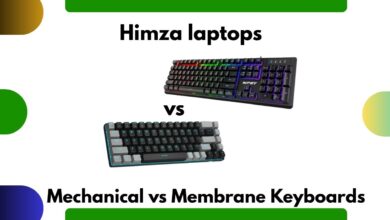
💡 Mechanical vs Membrane – Which Is Better for Office Work?
Many office users are confused between mechanical and membrane keyboards.
Mechanical Keyboards
- Better typing feedback
- Faster
- Longer lifespan
- Slightly louder
Membrane Keyboards
- Quieter
- Softer keypress
- More budget friendly
For office work, low-profile mechanical or silent membrane keyboards are ideal.
🧠 How a Good Mouse Boosts Productivity
A high-quality mouse helps you:
- Move faster across screens
- Access shortcuts with programmable buttons
- Maintain better wrist posture
- Navigate long documents easily
Especially if you work in Excel, Word, or graphic design and a premium mouse makes a huge difference.
📌 Recommended Office Keyboard & Mouse Combos
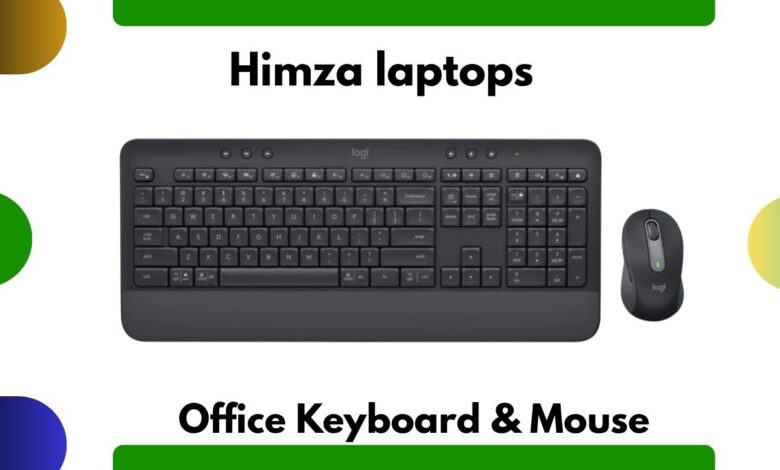
Combo 1: Logitech MX Keys + MX Master 3S
Perfect for productivity and long working hours.
Combo 2: Keychron K3 + Razer Pro Click
Ideal for those who love mechanical feel + premium ergonomics.
Combo 3: Microsoft Ergonomic Keyboard + Microsoft Bluetooth Mouse
Budget-friendly, comfortable, and reliable.
❓ FAQs – Google Rich Snippets Optimized
1. Which keyboard is best for office work?
The Logitech MX Keys is one of the best due to its comfort, silent typing, and premium build.
2. Are mechanical keyboards good for office work?
Yes, especially low-profile or silent switches. They offer better accuracy and typing comfort.
3. Which mouse is best for long office hours?
The Logitech MX Master 3S is the top choice thanks to its ergonomic shape and advanced scrolling.
4. Do ergonomic keyboards reduce wrist pain?
Yes, split ergonomic keyboards help maintain natural wrist alignment and reduce strain.
5. Wireless or wired keyboard for office work?
Wireless is recommended for a clean setup, but wired keyboards offer zero latency.